
How to subscribe online
Before you begin, make sure you’re logged in. You’ll find the Log in button at the top of the Subscribe page. Use your email address and password to log in,or reset your password if needed. If you’re new to booking online with New Zealand Opera, you can create an account or continue as a Guest.
Step 1
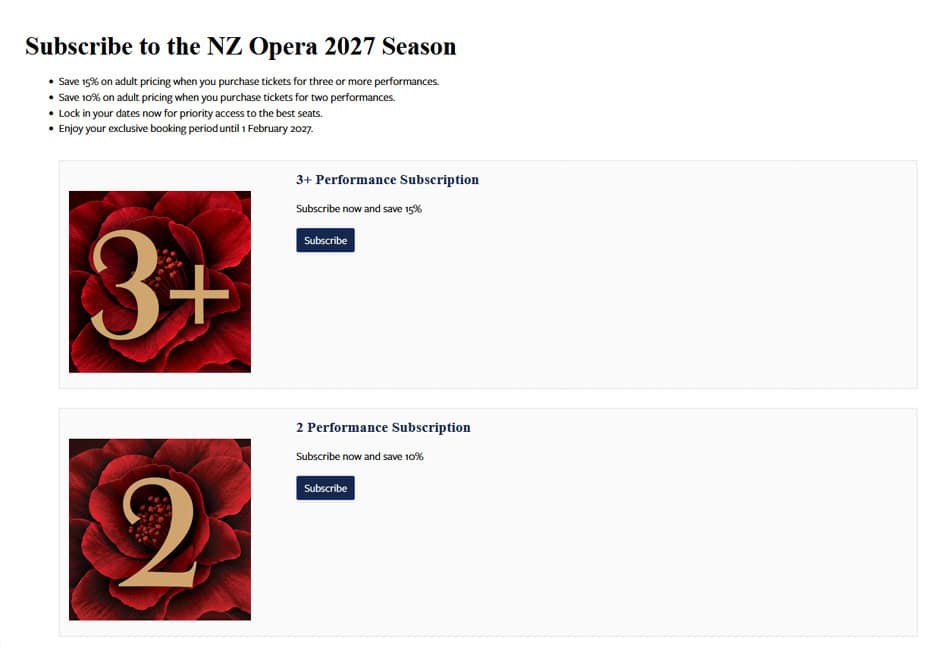
Choose your Subscription Package
Choose a 2-production or 3+ production subscription. Each performance you book counts towards your package, so you can mix and match productions, dates and cities, including booking the same production more than once.
Step 2
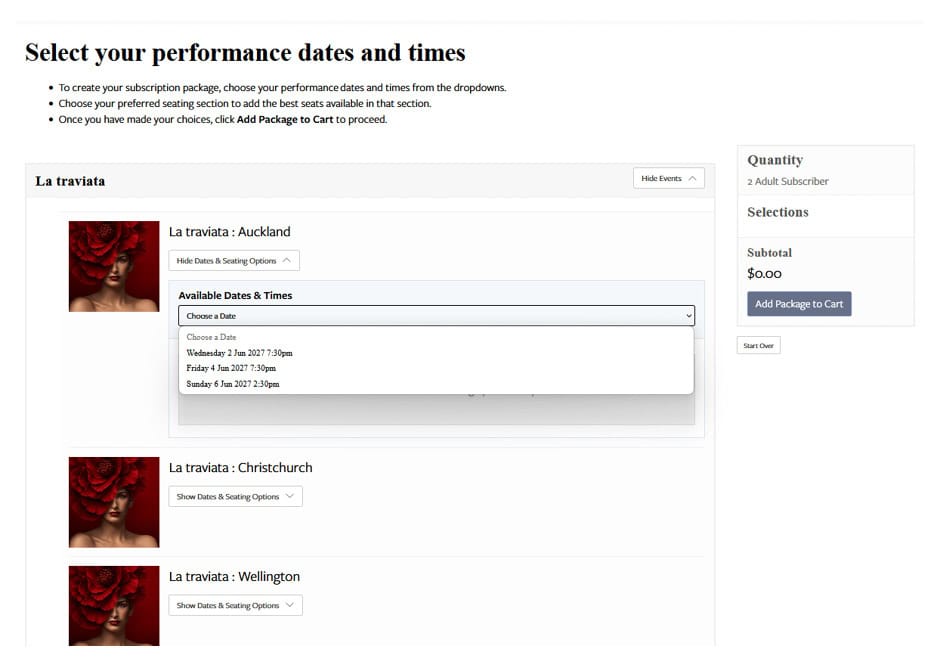
Select number of tickets, dates, times & seating preference
Choose how many people will be attending each performance and press ‘Continue’. Choose your performance dates and times from the dropdown menus. Choose your seating area preference. The best seats available in your chosen section will be added to your order. Click ‘Add to Package’.
Repeat the above steps to build your package. Once you have added all your performances click the ‘Add Package to Cart’ button on right of screen. This will take you to your Shopping Cart.
In some venues the balcony level is closed until we fill the lower levels. Therefore in these venues the balcony level may not be available for a subscription though you may be able to transfer your seats when the balcony opens should you wish.
Step 3
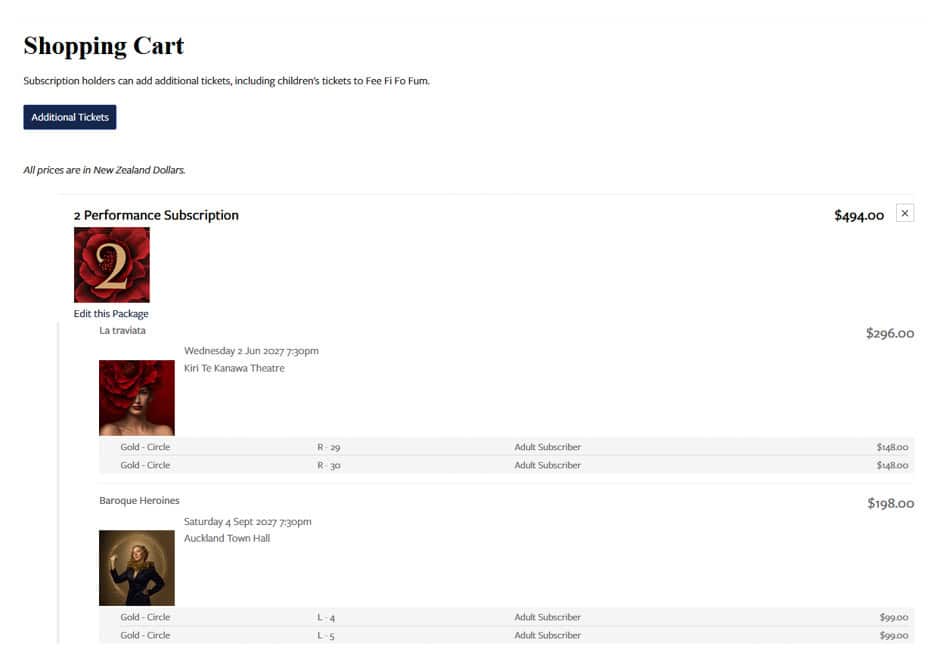
Add additional single tickets
At the top of the Shopping Cart page you have the option to add additional single tickets if required. This includes children’s tickets for Fee Fi Fo Fum. If you would like different seats to the ones assigned, please give us a call on 0800 696 737 and we can book your subscription by phone. Click ‘Continue’ to proceed. If you are already logged in you will be directed to Review Your Order.
Step 4
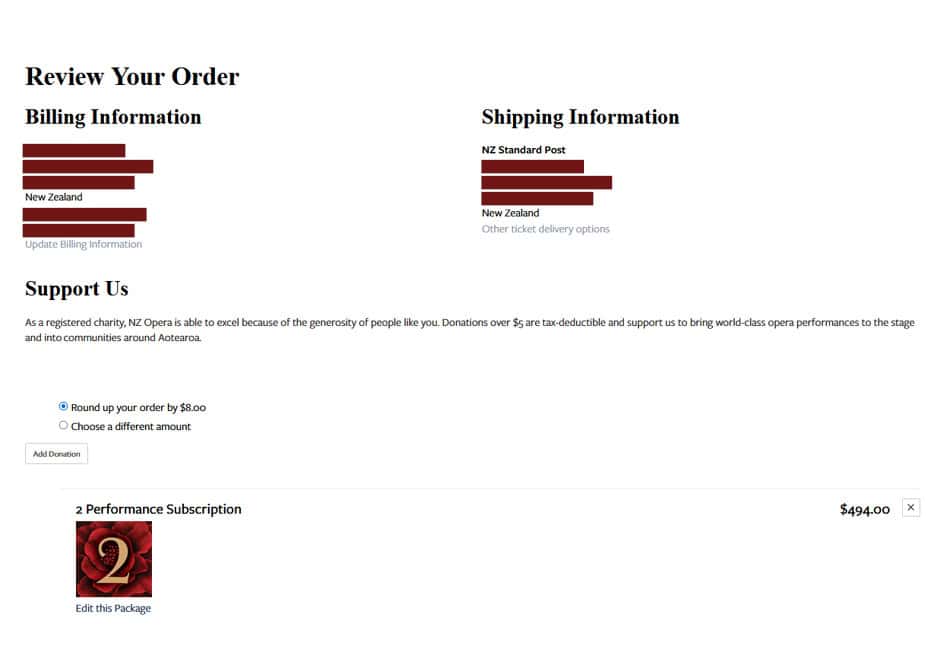
Confirm & Pay
Review your order and make sure all the information is correct. Please consider supporting NZ Opera with a donation if you are in a position to do so. You can also update your billing information and choose your preferred ticket delivery method. By default, tickets will be printed and posted to you for $3. If you prefer mobile tickets, print-at-home tickets or venue collection, select this option before continuing. Then confirm your cart and pay. Once your payment is confirmed you will receive an email confirmation from the NZ Opera Box Office.
Build your 2027 Subscription